

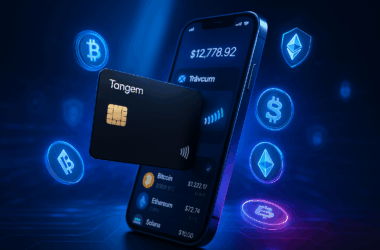


TL;DR: The Arculus Wallet is a premium cold storage solution that replaces traditional seed phrases and Bluetooth with a physical NFC card and 3-factor authentication (3FA). It is ideal for mobile-first investors who want the security of a hardware wallet without the complexity of cables or charging. While it lacks a desktop app, its EAL6+ certified security makes it one of the most resilient wallets on the market.
For years, the gold standard for crypto security was the “USB-stick” style hardware wallet. But for many, the stress of managing 24-word seed phrases and keeping devices charged has been a barrier to entry.
Arculus changes the game by moving away from “something you know” (a seed phrase written on paper) to “something you have” (a sleek metal card) and “something you are” (biometrics).
Table of Contents
What is the Arculus Wallet?
Arculus is a credit-card-sized cold storage wallet that communicates with your smartphone via Near Field Communication (NFC). Unlike a Ledger or Trezor, it has no screen, no battery, and no charging port. It is a passive piece of hardware that only “wakes up” when you tap it against your phone to authorize a transaction.
Arculus Price and Where to Buy
The Arculus Wallet is a one-time $99 USD purchase, including free FedEx shipping in the US. No subscription, no recurring fees, and Arculus itself doesn’t charge for crypto transactions.
Where to buy Arculus:
- Official: getarculus.com — best for customer support and warranty
- Amazon — sold and shipped by CompoSecure, Prime eligible
- Walmart, Newegg, TikTok Shop — also stock the card; pricing typically matches official
The Arculus Wallet App is free on both the Apple App Store and Google Play but can’t be used without first activating a physical card.
What about ongoing fees? Arculus doesn’t charge to send or receive crypto — you only pay standard blockchain network fees (e.g., Ethereum gas). If you buy or swap crypto inside the Arculus app, third-party liquidity partners (Simplex, Changelly) add a spread of typically 2-5% depending on the asset and your region. For pure cold storage with occasional withdrawals to an exchange, $99 is the only cost you’ll ever pay.
Color options: Black or silver. Same price, same functionality.
The 3-Factor Authentication (3FA) Security Model
The core value proposition of Arculus is its 3FA system. To move any funds, you need three distinct layers of security:
1. Biometrics: FaceID or Fingerprint scan on your smartphone.
2. 6-Digit PIN: A personal code entered into the Arculus app.
3. The Physical Card: You must physically tap the Arculus card to the back of your phone to sign the transaction.
This means even if someone steals your phone AND knows your PIN, they cannot move your crypto without the physical card. Conversely, if someone steals your card, they still need your phone’s biometrics and your PIN.
How Arculus Compares to Tangem, Ledger, and Trezor
The hardware wallet market in 2026 is crowded. Here’s how Arculus stacks up against its four main rivals across the dimensions that actually matter to buyers:
| Feature | Arculus | Tangem 2.0 | Ledger Nano S Plus | CoolWallet Pro | Trezor Safe 3 |
|---|---|---|---|---|---|
| Form factor | Metal NFC card | Plastic NFC card | USB stick + screen | Plastic NFC card | USB stick + screen |
| Price | $99 | ~$55 (2-pack) | $79 | $149 | $79 |
| Security cert | EAL6+ | EAL6+ | EAL5+ | EAL5+ | EAL6+ |
| Coins supported | ~57 (95% mkt cap) | 7,500+ | 5,500+ | 1,500+ | 8,000+ |
| Seed phrase | Optional backup | Optional backup | Mandatory | Mandatory | Mandatory |
| Mobile (iOS + Android) | ✅ | ✅ | Bluetooth only | ✅ | ❌ |
| Desktop app | ❌ | ❌ | ✅ Ledger Live | ✅ | ✅ Trezor Suite |
| Hardware screen | ❌ | ❌ | ✅ | ✅ (small) | ✅ |
| Multi-card backup | ❌ (buy 2nd) | ✅ (2-3 pack) | ❌ | ❌ | ❌ |
| Charging required | Never | Never | Yes (USB) | Yes | Yes (USB) |
Arculus vs Tangem: The NFC Card Showdown
This is the comparison that matters most. Both are NFC cards, both EAL6+, both never need charging. The differences are stark:
- Tangem ships in 2-3 card packs (~$55 for 2, ~$70 for 3), which gives you multi-card backup out of the box. Arculus is single-card at $99 — losing it without backing up your seed phrase means losing access.
- Tangem supports 7,500+ coins; Arculus supports ~57. If you hold anything beyond mainstream chains, Tangem wins decisively here.
- Arculus has a premium metal card; Tangem is plastic. Build quality and aesthetics go to Arculus.
- Tangem is made by a Swiss company; Arculus is made by CompoSecure (US), which has decades of high-security card manufacturing for major banks.
Our honest take: Tangem is the more practical buy for most users — broader asset support, multi-card backup included, lower per-card cost. Arculus is the more premium choice — better materials, US-based brand pedigree, and tighter integration with mobile banking UX patterns. If you only need mainstream assets and value form factor over feature breadth, Arculus is defensible. Otherwise, Tangem.
Arculus vs Ledger Nano S Plus: NFC Card vs USB Stick
Different products for different users. Ledger Nano S Plus is the dominant traditional choice: USB stick, hardware screen for transaction verification, Ledger Live desktop app, support for 5,500+ coins. Arculus is the mobile-first alternative: NFC card, no screen, mobile-only app, narrower coin support.
The hardware screen on Ledger is a real security advantage — you verify each transaction on the device itself, not on your phone screen (which could theoretically be compromised by malware). Arculus signs transactions on the card but you confirm the details on your phone, which is a slightly lower trust model.
Choose Arculus for mobile-first lifestyle and simplicity. Choose Ledger for maximum altcoin support, hardware-screen verification, and desktop usability.
Arculus vs Trezor Safe 3: Closed vs Open Source
Trezor is the open-source benchmark — firmware and hardware design are fully auditable. Arculus is closed-source (you’re trusting CompoSecure’s claims about their EAL6+ implementation). Both achieve EAL6+ certification, but the open-source community can independently verify Trezor’s claims; Arculus you take on faith.
Practical differences: Trezor requires USB (no mobile-first option), works on desktop only, supports 8,000+ coins, costs $79. Arculus is mobile-only, supports ~57 coins, costs $99.
Choose Trezor if open-source values are important to you and you’re comfortable with desktop workflows. Choose Arculus if mobile UX is the priority and you don’t need to inspect the firmware yourself.
Cryptocurrencies and NFTs Arculus Supports
Arculus officially supports 95% of the crypto market cap by value, spanning 23+ blockchains and 57+ individual assets. Here’s the breakdown:
Major Layer 1 chains: Bitcoin (BTC), Ethereum (ETH), Solana (SOL), XRP (XRP), Cardano (ADA), Avalanche (AVAX), BNB Smart Chain (BNB), Litecoin (LTC), Polkadot (DOT), Algorand (ALGO).
Newer L1s and emerging chains: Sui, Aptos, Near, TON, Hedera (HBAR), Internet Computer (ICP), VeChain (VET), XDC.
Ethereum Layer 2s: Arbitrum One, Base, zkSync, Scroll, Blast, Berachain, Worldchain, Polygon.
Stablecoins: USDT, USDC, DAI (via supported chains).
NFTs: Ethereum and Polygon NFTs viewable and manageable directly in the Arculus app.
What’s not supported: Monero (XMR), Bitcoin Lightning Network, most BRC-20 tokens, and many obscure altcoins. If your portfolio includes privacy coins or long-tail assets, check Arculus’s current supported list on their website before buying.
Pros and Cons
Pros
Licensed Security: The Secure Element (SE) chip is EAL6+ certified, the same level used in government-grade security.
No Charging: Because it uses NFC, the card has no battery. It will still work 10 years from now without needing a firmware update or a charge.
Mobile-First UX: The app interface is clean and mirrors modern banking apps like Revolut or Monzo.
NFT Support: Arculus allows you to view and manage your Ethereum and Polygon NFTs directly in the cold storage environment.
Cons
No Desktop Support: You cannot use Arculus with a laptop. This makes interacting with some complex DeFi protocols difficult.
Limited Asset Support: While it supports major coins (BTC, ETH, SOL, XRP), it lacks support for some smaller altcoins found on Ledger.
Single Card System: Unlike Tangem (which often sells cards in packs of 2 or 3), Arculus typically relies on a single card. If you lose it without a backup of your recovery codes, your funds are inaccessible.
Is Arculus Safe to Use?
Yes. Arculus is produced by CompoSecure, a company with over 20 years of experience manufacturing high-security payment cards for major financial institutions. They are not a “crypto startup”; they are a massive security infrastructure firm. The air-gapped nature of the card—meaning it never connects to the internet—ensures your private keys are never exposed to hackers.
Arculus Wallet FAQ
How much does the Arculus Wallet cost?
The Arculus card is a one-time $99 purchase including free FedEx shipping in the US. The mobile app is free but requires a card to activate. No subscription fees. Arculus doesn’t charge for crypto transactions — only standard blockchain network fees apply, plus 2-5% partner fees if you buy/swap crypto inside the app.
Where can I buy Arculus?
Officially from getarculus.com. Also available on Amazon (sold by CompoSecure), Walmart, Newegg, and TikTok Shop. The official site occasionally runs promotions and bundle discounts. International buyers can purchase via Amazon’s US marketplace, which ships to most countries.
Does Arculus work with both iPhone and Android?
Yes. The Arculus app is on both the Apple App Store and Google Play. iPhone users authenticate with Face ID; Android users typically use fingerprint. NFC is built into nearly every modern smartphone, so the card works with virtually any device from the last 5+ years.
What happens if I lose my Arculus card?
You recover your wallet using the 12 or 24-word seed phrase displayed during setup. Without the seed phrase, lost funds are unrecoverable — same as any other hardware wallet. Some users buy a second Arculus card as a physical backup, but Tangem‘s multi-card pack approach handles this more elegantly out of the box.
Is the seed phrase mandatory with Arculus?
Functionally yes, despite the “keyless” marketing. Arculus generates a 12 or 24-word seed phrase during setup, which you must write down and store offline. The “keyless” framing means you don’t use the seed phrase for daily transactions (3-factor auth handles that), but the phrase still exists as your recovery key if the card is lost or damaged.
How many cryptocurrencies does Arculus support?
Approximately 57 individual assets across 23+ blockchains, covering roughly 95% of crypto by market cap. Mainstream chains (BTC, ETH, SOL, XRP, ADA, BNB, MATIC) plus newer chains (Sui, Aptos, TON) and most Ethereum L2s are supported. Monero, Lightning Network, BRC-20 tokens, and many obscure altcoins are not supported.
Is Arculus better than Tangem?
It depends on what you value. Tangem is cheaper per card (~$55 for a 2-pack vs $99 for one Arculus), supports far more coins (7,500+ vs ~57), and includes multi-card backup out of the box. Arculus wins on materials (premium metal card) and CompoSecure’s high-security card manufacturing pedigree. For most buyers, Tangem is the more practical choice; for those who specifically want a metal card and trust the CompoSecure brand, Arculus is worth the premium.
Does Arculus work on desktop or laptop?
No. Arculus is mobile-only — no desktop app, no browser extension. This is a real limitation for users who run complex DeFi workflows or work across multiple computers. If you need desktop support, Ledger (with Ledger Live) or Trezor (with Trezor Suite) are better choices.
Does Arculus support NFTs?
Yes, for Ethereum and Polygon NFTs. View, send, and receive NFTs directly through the Arculus app while keys stay offline on the card. NFT support on other chains (Solana, Cardano, Tezos) is limited or absent.
Bottom Line: Should You Buy Arculus?
Arculus sits in a specific niche: the buyer who wants a “grown-up,” frictionless cold storage solution and is willing to pay a premium for the metal-card form factor and CompoSecure’s security pedigree. Here’s how to know if it’s the right pick.
Buy Arculus if:
- You’re mobile-first and don’t want to deal with USB cables or charging
- You hold mainstream assets (BTC, ETH, SOL, XRP, major L2s) and don’t need broad altcoin support
- You value the premium metal card aesthetic and CompoSecure brand pedigree
- You want zero technical maintenance — no firmware updates, no charging, no software hassles
- You’re comfortable storing one backup seed phrase securely offline
Skip Arculus if:
- You’re an active DeFi user who needs desktop access and complex protocol interaction
- You hold many obscure altcoins, privacy coins (Monero), or BRC-20 tokens
- You want a multi-card backup system out of the box — consider Tangem instead
- You prefer open-source firmware — consider Trezor Safe 3 instead
- You prefer hardware-screen transaction verification — consider Ledger or Trezor
Consider Tangem instead if: you want the same NFC card convenience at roughly half the per-card cost, support for 7,500+ coins instead of 57, and multi-card backup out of the box. The honest comparison: Tangem is more practical; Arculus is more premium.
Final Score: 4.5 / 5 🟣
Arculus is the perfect “bridge” wallet for traditional finance users entering the crypto space. It removes the fear of the 24-word phrase from daily use while providing security that’s arguably superior to the industry giants. The premium price tag and limited altcoin support hold it back from a perfect score, but for mainstream-asset holders who value form factor and frictionless UX, it’s a strong choice.
⚠️ Disclosure: This review contains affiliate links. If you open an account through our links, we may receive a commission at no extra cost to you. This does not influence our editorial assessment — our reviews are based on independent research and analysis.


Recent Comments