


Last updated: 11 November 2026
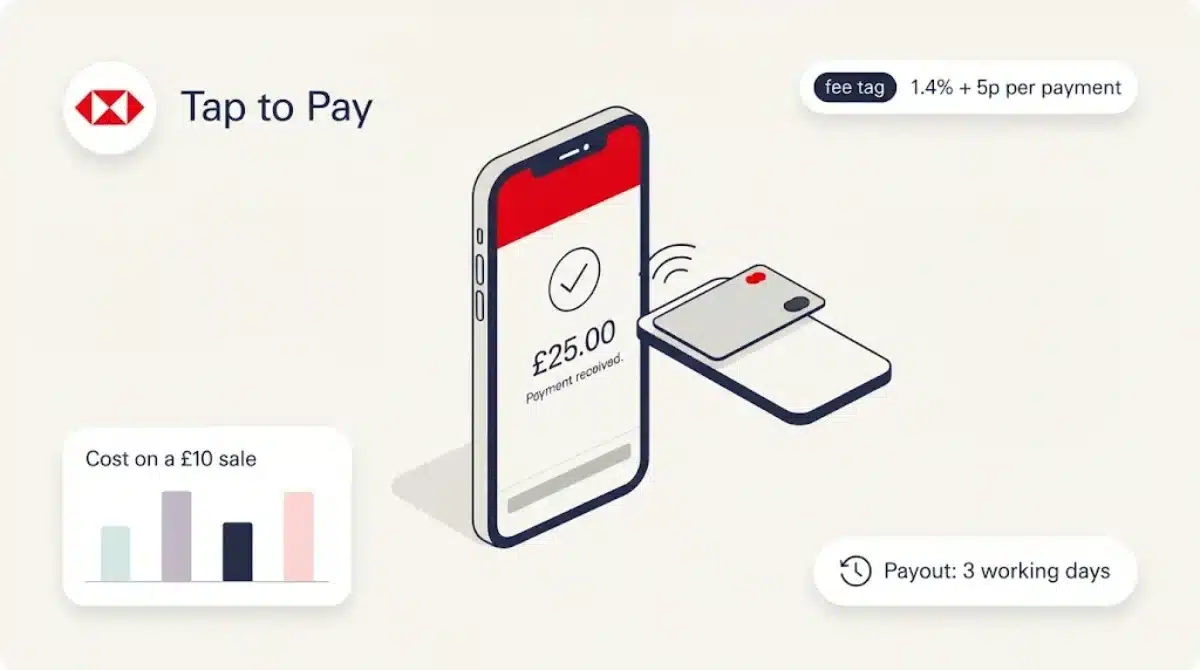
HSBC UK business customers can now take card payments on their phone, with no card reader. The bank launched HSBC Tap to Pay on 10 November 2026, built on Stripe and set up inside the HSBC UK Business Banking app.
The headline fee is 1.4% plus 5p per payment. That sounds cheaper than SumUp, Square or Zettle, and for most sales it is. For small sales it isn’t, and the money takes longer to arrive.
The launch coverage we found repeated the announcement. This review works through the fee page, the FAQs and the small print, and puts the numbers next to the rivals a sole trader would actually compare it with.
Table of Contents
HSBC Tap to Pay at a glance
| Feature | Detail |
|---|---|
| Who can use it | Eligible HSBC UK Small Business Banking Account or Business Banking Account customers |
| Transaction fee | 1.4% of the payment plus £0.05 |
| Monthly fee | None listed for Tap to Pay |
| Payout time | 3 working days; first payout 7 to 14 days |
| Minimum and maximum payment | £0.50 to £999,999.99 |
| Phones | iPhone XS or later on the latest iOS; NFC Android phones |
| Accepts | Contactless debit and credit cards, Apple Pay, Google Pay and other digital wallets |
| Runs on | Stripe, with the account managed in Stripe Express |
| Where | UK only, with a WiFi or mobile data connection |
What HSBC Tap to Pay is
Tap to Pay turns a compatible phone into a contactless terminal. The customer taps their card or phone against yours, and the payment goes through without a separate reader.
HSBC hasn’t built the payments side itself. When you apply in the app, you’re sent to Stripe to finish onboarding and open a Stripe account. Stripe processes the payments, and refunds are handled in Stripe Express, Stripe’s simplified dashboard.
Stripe’s own announcement, dated 10 November 2026, says eligible HSBC UK small business customers can accept contactless payments on a compatible smartphone and get set up in the HSBC Business Banking app.
HSBC’s reason for launching it comes from its own research. A Censuswide survey for HSBC UK of 594 small business owners, with turnover below £2 million, found that 33% had lost a sale because they couldn’t accept the customer’s preferred way to pay.
Features
Payments it can take
Physical contactless debit and credit cards, Apple Pay, Google Pay and other digital wallets. Payments must be taken in person, in the UK.
PIN entry on your phone
For payments over the contactless limit, or when the card asks for extra security, the customer types their PIN on your screen. HSBC says Tap to Pay on iPhone blocks screenshots, screen recording and similar features from capturing card numbers or PINs. On Android, background apps can’t read the sensors during PIN entry, and PINs and card numbers aren’t stored.
One practical catch: if you use an accessibility app on Android, HSBC says it must be switched off when a customer enters a PIN.
Phones that work
Tap to Pay on iPhone needs an iPhone XS or later on the latest version of iOS. For Android, HSBC’s FAQ says Android 13 or later on an NFC-equipped phone, while a footnote on the same page says Android 11 or above. Check your phone against the setup screen in the app rather than relying on either line.
No offline mode
HSBC’s FAQ is clear: you can’t take Tap to Pay payments without an internet connection. A market stall with weak signal, or a cloud outage of the kind that hit several UK banks in October (see our report on the Google Cloud outage), means no card payments until the connection is back.
Fees
HSBC lists these charges for Tap to Pay on its Tap to Pay fees and FAQs:
| Charge | Amount |
|---|---|
| Each payment | 1.4% of the value + £0.05 |
| Refund | No refund fee, but the original payment fee isn’t returned |
| Dispute (chargeback) | £15 per dispute |
| Challenged dispute | £15, refunded if you win |
The dispute fees aren’t charged yet. HSBC says there will be none at first, and it will email customers before the charges start.
The fixed 5p is the part to watch. It barely matters on a £100 sale, but on a £0.50 coffee add-on it makes up most of the fee.
Worked examples
| Sale | HSBC Tap to Pay fee | Fee as % of sale |
|---|---|---|
| £0.50 (the minimum) | £0.057 | 11.4% |
| £5 | £0.12 | 2.4% |
| £10 | £0.19 | 1.9% |
| £25 | £0.40 | 1.6% |
| £100 | £1.45 | 1.45% |
How it compares with SumUp, Square and Zettle
All three rivals also offer tap to pay on a phone. Their published UK pay-as-you-go rates for in-person card payments, checked on 11 November 2026, are a single percentage with no fixed fee.
| Provider | In-person fee (no monthly plan) | Fee on a £10 sale | Fee on a £50 sale | Payout |
|---|---|---|---|---|
| HSBC Tap to Pay | 1.4% + 5p | £0.19 | £0.75 | 3 working days |
| SumUp | 1.69% | £0.17 | £0.85 | Next day to a SumUp Business Account |
| Square | 1.75% (UK cards) | £0.18 | £0.88 | As soon as the next day |
| Zettle | 1.75% | £0.18 | £0.88 | Not compared here |
The crossover points are simple to work out:
- Against SumUp’s 1.69%, HSBC is cheaper on any sale above about £17.24.
- Against Square’s and Zettle’s 1.75%, HSBC is cheaper above about £14.29.
Below those amounts, the 5p makes HSBC the more expensive option.
Over a month, the average sale decides it. A business taking 100 payments of £20 pays £33.00 with HSBC, £33.80 with SumUp and £35.00 with Square or Zettle. A coffee cart taking 200 payments of £10 pays £38.00 with HSBC, against £33.80 with SumUp. A mobile hairdresser taking 40 payments of £75 pays £44.00 with HSBC, against £50.70 with SumUp and £52.50 with Square.
SumUp also sells monthly plans (£19 a month for 0.99%, £49 a month for 0.69%), which change the maths for busier businesses. HSBC hasn’t published a plan.
Speed matters too. HSBC pays out in 3 working days, and your first payout can take 7 to 14 days while security checks run. SumUp offers next-day access to takings in its Business Account, and Square says transfers can arrive as soon as the next day. If you buy stock with yesterday’s takings, that gap is a real cost.
Fees on cards and wallets have a way of being buried in terms. We looked at another example of this in our Payr review, where a 1.99% fee adds up to hundreds of pounds a year.
Pros and cons
Pros
- No card reader to buy
- Lower percentage than SumUp, Square or Zettle pay-as-you-go
- Set up from the HSBC business app you already use
- Accepts cards and digital wallets, with PIN entry on screen
- No dispute fees for now
Cons
- The 5p fixed fee makes small sales dearer than rivals
- 3 working days to get paid, and 7 to 14 days for the first payout
- No offline payments
- Refunds and account management sit in Stripe Express, a second place to log in
- Only for HSBC UK business account holders
- Conflicting Android version lines on HSBC’s own page
How to set up HSBC Tap to Pay
- Open the HSBC UK Business Banking app on your iPhone or Android phone.
- Go to Products & Services, then Accept Customer Payments, and select Tap to Pay.
- Complete Stripe’s onboarding to open your Stripe account. Only the primary user can apply.
- To take a payment, go to Accept a payment, choose Tap to Pay, enter the amount and present your phone.
- Wait for the “Done” tick before handing over goods.
If you don’t bank with HSBC, you’d need to open an HSBC business current account first. That’s a bigger decision than choosing a payment app, so weigh the account’s own charges before you do it.
What real users say
Tap to Pay launched on 10 November 2026, so there are no meaningful user reviews yet. We’ll add a summary once there’s enough feedback to judge it fairly.
Is HSBC Tap to Pay worth it?
For an existing HSBC business customer whose typical sale is above about £17, HSBC‘s Tap to Pay is cheaper than the pay-as-you-go rates from SumUp, Square and Zettle, and saves buying a reader.
If you take lots of small payments, or you need the money the next day, a rival is likely to suit you better. Run your own average sale through the crossover figures above before switching.
The bigger shift is that a high street bank now offers phone payments inside its own app. Banks have been adding features like this to card payments for a while, as we found when Barclays began adding customers’ cards to Click to Pay. Expect other banks to follow.
Frequently asked questions
How much does HSBC Tap to Pay cost?
1.4% of each payment plus 5p. There’s no refund fee, but the original fee isn’t returned. Disputes will cost £15 once HSBC starts charging them.
How long does HSBC Tap to Pay take to pay out?
3 working days to reach your HSBC business account. The first payout can take 7 to 14 days because of security checks.
Do I need an HSBC business account?
Yes. It’s only open to eligible HSBC UK Small Business Banking Account or Business Banking Account customers.
Which phones work with HSBC Tap to Pay?
iPhone XS or later on the latest iOS, and NFC-equipped Android phones. HSBC’s page gives both Android 13 and Android 11 as the minimum, so check in the app.
Can I take payments offline?
No. You need WiFi or mobile data for every payment.
What is the smallest payment I can take?
£0.50. The largest is £999,999.99, though bigger payments may need the customer’s PIN.
Is it cheaper than SumUp?
On sales above about £17.24, yes, against SumUp’s 1.69% pay-as-you-go rate. On smaller sales SumUp is cheaper, and it pays out the next day.
Sources: HSBC UK, Tap to Pay product page and FAQs (business.hsbc.uk, read 11 November 2026); Stripe, “Stripe and HSBC power Tap to Pay for UK small businesses”, 10 November 2026 (stripe.com/newsroom); Finextra, “Stripe and HSBC drive contactless payments for UK small businesses”, 10 November 2026 (HSBC UK research by Censuswide); SumUp UK pricing and Tap to Pay pages, Square UK pricing, Zettle UK pricing (all read 11 November 2026).


Recent Comments