Last updated: 27 November 2026
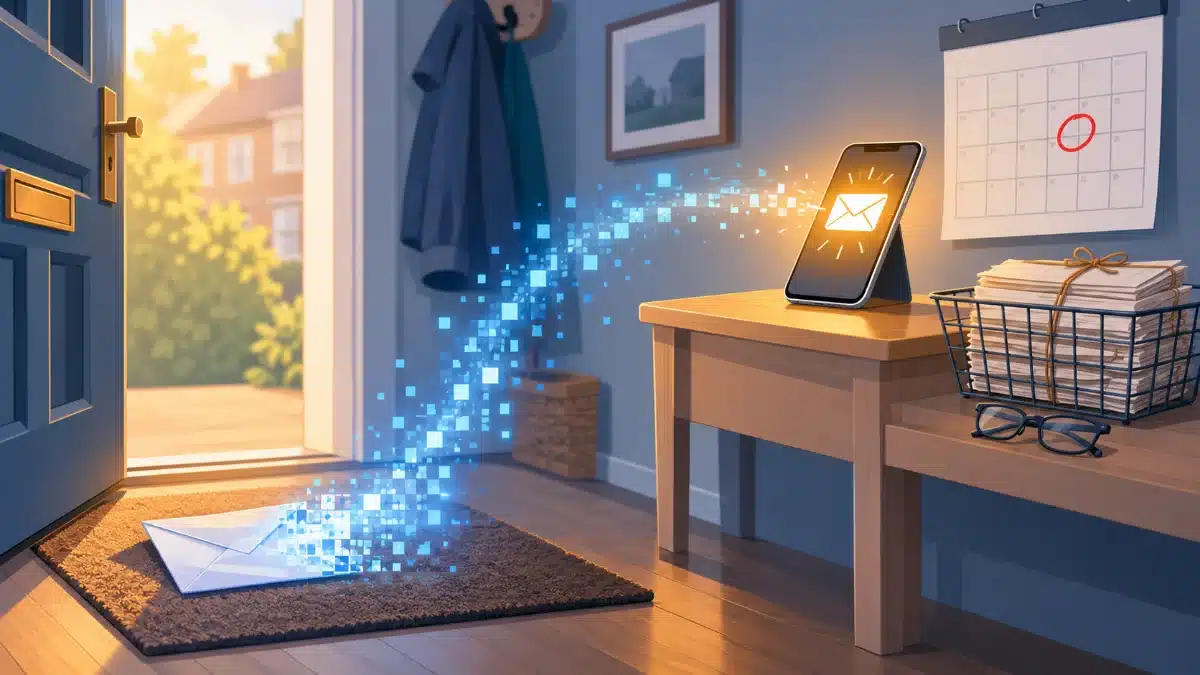
From February 2027, around 3.5 million people will stop getting their annual tax code notice in the post. HM Revenue and Customs (HMRC) will put it in their online account and the HMRC app instead, according to a press release published on 24 November 2026.
The change only affects people who already use HMRC’s Personal Tax Account or app but still get letters. If that is you, the next notice that tells you how much tax your employer or pension provider should take will not land on your doormat. Here is who is affected, what to check and what to do before February.
Table of Contents
What exactly is changing?
The tax code notice (often called a P2 or “notice of coding”) is the letter HMRC sends before each tax year, and whenever your code changes. It shows the code your employer or pension provider must use and how HMRC worked it out.
Under HMRC’s Digitising Post Programme, the annual notice becomes digital by default for people who already have an HMRC online account or the app. HMRC says customers should keep their email address up to date so they are told when a new notice is available.
| Your situation | What happens from February 2027 |
|---|---|
| You use the Personal Tax Account or HMRC app but still get post | Annual tax code notice moves online; you are notified by email |
| You have already chosen paperless | No change: you already get notices online |
| You do not use HMRC’s online services | No change: notices keep coming by post |
| You asked for braille, large print or audio | No change: you keep your chosen format |
HMRC adds that anyone whose tax code has changed can still ask for a paper notice.
Why is HMRC doing this?
Cost is the main reason. Of the 17.5 million tax code notices issued before 6 April 2026, 34% were digital and 11.5 million went by post, costing more than £8.2 million. That works out at roughly 71p per posted notice.
HMRC has committed to saving £50 million a year on print and post from the 2028 to 2029 tax year. The 3.5 million notices moving online are about 30% of the ones currently posted, and HMRC says it will watch how these customers respond (whether they view the code, call HMRC or ask for paper) before going further.
“Can I get my tax coding notice online?” Where to find it
Yes. According to GOV.UK’s tax codes guide, you can find your current code:
- by signing in to your Personal Tax Account and checking your tax code for the current year
- in the HMRC app
- on your payslip
- on a Tax Code Notice letter, if you still get one
Online, you can also see codes for previous tax years and sign up for paperless notifications, so HMRC emails you whenever your code changes. HMRC says the online service now explains changes, and that this has cut the need to contact it by 40%.
“Why have I received a tax code notice?” What to check when it arrives
A notice usually means your code has been set for the new tax year or something about your income has changed: a new job, a company benefit, the State Pension starting, or untaxed income such as interest. A wrong code means the wrong tax comes off your pay, so it is worth two minutes each time.
Check the number
1257L is the code used for most people with one job or pension. The number reflects your tax-free allowance. GOV.UK gives the example of a £1,570 medical insurance benefit, which cuts the £12,570 Personal Allowance to £11,000 and gives a code of 1100L.
Check the letters
| Code or ending | What it means |
|---|---|
| L | Standard tax-free Personal Allowance |
| BR | All income from this job or pension taxed at the basic rate (often a second job) |
| K | Untaxed income is bigger than your Personal Allowance |
| M / N | Marriage Allowance received / transferred |
| W1, M1, X or NONCUM | Emergency tax code |
Watch for emergency codes
An emergency code taxes each week or month as if you were paid that amount all year. HMRC says it can take up to 35 days to fix after a job change, and that starting company benefits or the State Pension can also trigger one. If you have overpaid, you can get a refund. People moving or drawing pension pots should check the code their provider uses, too.
What should I do before February 2027?
- Sign in and check your email address. HMRC’s notification email is the only alert you will get. An old work address means you may never know a new code exists.
- Decide if you want paper. If your code changes and you want a letter, HMRC says you can still ask for one.
- Check your code once a year, in April. Put a reminder in your calendar rather than waiting for post that no longer comes.
- Treat unexpected “HMRC” messages with care. HMRC’s own press release reminds people to stop and think before sharing personal details after an unexpected call or message. Go to your account through GOV.UK or the HMRC app, not through a link.
The move fits a wider shift to online government money tools, from the pensions dashboard due in summer 2027 to new rules on workplace pension charges. For people who rarely sign in, the risk is simple: a wrong code that nobody looks at.
Who might lose out?
The Low Incomes Tax Reform Group, which sits on HMRC’s Digitising Post Programme Forum, points people who struggle to access their Personal Tax Account to its guidance. People who set up an account once, for example to claim a refund, and never went back are the group most likely to miss a notice. If that sounds like you, sign in now and either update your email or ask HMRC about paper.
FAQ
Will I still get my tax code notice by post?
Only if you do not use HMRC’s Personal Tax Account or app, if you asked for an alternative format such as braille or large print, or if your code changed and you request a paper copy.
When does the change start?
From February 2027, ahead of the 2027 to 2028 tax year that starts on 6 April 2027.
How many people are affected?
Around 3.5 million people who already use HMRC’s online services but have not gone paperless.
How do I know if my tax code is wrong?
Compare the code on your payslip with the one in your HMRC account, and use HMRC’s “check what your tax code means” tool. Endings such as W1, M1, X or NONCUM mean an emergency code.
Does my employer get the notice too?
HMRC tells your employer or pension provider which code to use. The notice is your own copy of how it was worked out.
Sources: HMRC press release, 24 November 2026; GOV.UK: Tax codes (overview, what your tax code means, emergency tax codes); Low Incomes Tax Reform Group, 25 November 2026.