


Last updated: 13 October 2026
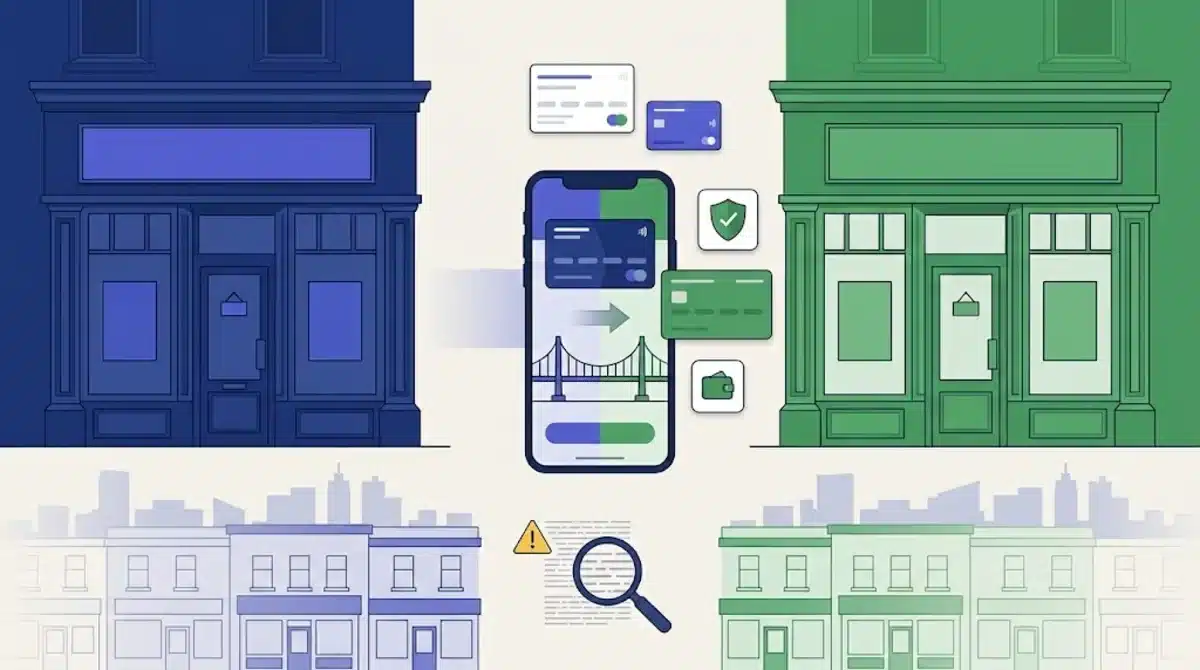
Halifax customers are now getting in-app invitations to move to Lloyds. The 173-year-old brand is being retired, and its 190 branches will be rebranded through 2027. Most of what you rely on stays put, but three details in the small print can cost you money if you move without reading them.
This guide sets out what changes, what doesn’t, and the choices that are actually yours to make. It draws on Halifax’s own brand change pages, the Lloyds account terms dated 4 October 2026, and the FSCS rules.
Table of Contents
Contents
- What is happening, and when
- What stays the same
- What changes
- The savings trap: two banking licences become easy to merge
- Why the £200 Lloyds switch bonus won’t apply
- Halifax Reward vs Club Lloyds
- Premier and Club Lloyds: the October terms
- How to move, step by step
- Scams riding on the change
- Verdict
- FAQ
What is happening, and when
Lloyds Banking Group confirmed on 1 July 2026 that it will scrap the Halifax brand and run one brand, Lloyds, in England, Wales and Northern Ireland. Bank of Scotland stays as the lead brand in Scotland.
Halifax says this is a brand change only. Halifax, Lloyds and Bank of Scotland have been part of the same group since 2009, and nobody is being moved to a new bank.
The change is happening in stages:
- Apps and online banking: customers are invited to move to the Lloyds app over “the next few months”. The Halifax app stops working for you once you move, and eventually for everyone.
- Products: accounts, cards and policies take the Lloyds name at different times. Halifax says you will be told before anything changes.
- Branches: most Halifax branches become Lloyds branches during 2027. You can already use any Halifax, Lloyds or Bank of Scotland branch.
Customers in Scotland have an extra option. Halifax says they can ask to move to Bank of Scotland instead of Lloyds.
What stays the same
For most people, the move is mostly cosmetic. Halifax lists these as unchanged:
| Item | After the move |
|---|---|
| Sort code and account number | Same |
| Debit card and PIN | Same for now; a Lloyds card arrives later, PIN unchanged |
| Direct debits, standing orders, incoming payments | Same; you don’t need to tell anyone |
| Arranged overdraft | Same limit and rate |
| Account features and packaged insurance | Unchanged “today”; you’ll be told about future changes |
| Savings rates and ISA allowance | Not changed by the rebrand |
| Mortgage rate, payments, overpayments, porting | Same |
| Credit card statement and payment dates | Same |
| Open banking connections | Existing ones keep working |
| Repayment plans and arrears | Continue as before |
| FSCS protection | Still under Bank of Scotland plc (see below) |
Joint accounts move with the same details, and each holder can move at a different time without affecting how the account works.
What changes
Your app and online banking
You will manage everything in the Lloyds app. Your password and memorable information carry over, and your username usually does too, unless it is already taken within the group.
Account nicknames may not transfer, so accounts can show default names after the move. Balances and payments are not affected.
If you don’t move
You can still bank by phone and in branch, but you lose digital access. The bigger catch is for paperless customers: your statements and account notices sit in the online banking inbox, and you lose that inbox until you move.
Cards
Debit cards keep working and get replaced with Lloyds cards later. Halifax credit cards are already part-way through a separate Mastercard to Visa switch. Halifax says that still goes ahead, so some customers will get a Halifax Visa card first and a Lloyds-branded card after that.
Card payments that need approval are approved in the app that matches your card brand. After you move, Halifax card payments are approved in the Lloyds app.
Mortgages
Existing Halifax mortgages carry on unchanged, and Halifax says Halifax and Lloyds customers already get the same rates. New mortgages are still sold through the Halifax website, Halifax advisers and brokers, not through the Lloyds app. If you’re reviewing your deal anyway, our guide to paying less mortgage interest in the UK covers the options.
The savings trap: two banking licences become easy to merge
This is the detail most coverage skips, and the one that can matter most.
Halifax is a division of Bank of Scotland plc. Lloyds Bank is a separate company, Lloyds Bank plc, with its own banking licence. The FSCS protects up to £120,000 per person, per banking licence. So today, money at Halifax and money at Lloyds are protected separately.
Halifax says that stays true after the rebrand, as long as your money stays with Bank of Scotland plc. The risk comes from how you move savings into Lloyds-branded accounts. Halifax describes two routes:
| Route | Account details | Which licence protects it |
|---|---|---|
| Renew or reinvest a Halifax account into a Lloyds savings account at maturity | Same sort code and account number | Bank of Scotland plc (as now) |
| Open a new Lloyds savings account and transfer money in | New sort code and account number | Lloyds Bank plc |
A worked example. Say you have £100,000 in Halifax savings and £60,000 in a Lloyds savings account. Today both pots are fully covered, because they sit under two licences.
If you open a new Lloyds account and move the Halifax money into it, all £160,000 now sits under Lloyds Bank plc. The FSCS limit is £120,000, so £40,000 would be unprotected. Renewing the Halifax account into a Lloyds product instead keeps it under Bank of Scotland plc, and both pots stay covered.
If your combined balance across the group is under £120,000, this doesn’t affect you. If it’s over, check which route you’re offered before you click.
Fixed-rate savers can’t switch mid-term. You’ll be contacted before maturity as usual, and you can close at the end of the term without a charge. If you want to take an ISA elsewhere, ask for an ISA transfer; closing it and withdrawing loses the tax-free wrapper.
Why the £200 Lloyds switch bonus won’t apply
Halifax current account holders can switch to a Lloyds current account through the Lloyds app, subject to eligibility. Halifax says not every Lloyds account is available to switch to yet, and more will be added.
Don’t expect a bonus for doing it. Lloyds’ current offer pays £200 for switching to Club Lloyds, Club Lloyds Silver, Club Lloyds Platinum or Lloyds Premier by 9 December 2026, but its terms exclude:
- anyone switching from a Halifax or Bank of Scotland current account
- existing Lloyds customers changing to a different Lloyds account
- anyone who has had a switching offer from Lloyds, Halifax or Bank of Scotland since 1 January 2023
In practice, the only way to get that £200 is to switch in from a bank outside the group. That is worth knowing before you agree to an internal switch you didn’t need to make.
If you do switch internally, your overdraft moves with you, including the limit, rate and balance. The interest-free amount may differ on the Lloyds account you pick, and Halifax says it will show you the difference before you confirm.
Halifax Reward vs Club Lloyds
Many Halifax Reward customers are weighing up Club Lloyds, the nearest Lloyds equivalent. Here’s how they compare on the published terms:
| Feature | Halifax Reward | Club Lloyds |
|---|---|---|
| Monthly fee | £3 | £5 |
| Fee waived if you pay in | £1,500+ a month | £2,000+ a month |
| Credit interest (needs 2 monthly direct debits) | 1.50% AER to £3,999.99; 3.00% AER on £4,000 to £5,000 | 1.50% AER to £3,999.99; 3.00% AER on £4,000 to £5,000 |
| Interest above £5,000 | None | None |
| Yearly perk | None | One Lifestyle Benefit: 12 months of Disney+ (with ads), 6 cinema tickets, Coffee Club and Gourmet Society, or a magazine |
| Linked saver | Reward Bonus Saver: 3.00% AER with two or fewer withdrawals | Access to Club Lloyds savings accounts |
| Arranged overdraft | 29.9% EAR variable, £100 interest-free | 29.9% EAR variable, £100 interest-free |
| Retailer cashback | Cashback Extras, up to 15% | Everyday Offers, up to 15% |
The interest tiers and overdraft rate are identical. The real trade-off is the fee threshold against the perk. If you pay in between £1,500 and £1,999 a month, Reward stays free but Club Lloyds would cost £60 a year. If you pay in £2,000 or more, Club Lloyds is also free and adds a Lifestyle Benefit.
You don’t have to switch. Halifax says your current account’s features are unchanged for now and you’ll be told about any future changes. For a wider look at what you pay your bank, see our guide to avoiding UK bank fees.
Premier and Club Lloyds: the October terms
A customer on the MoneySavingExpert forum spotted a change while moving Halifax Reward accounts across. Lloyds’ online journey offered Club Lloyds even though they already held Lloyds Premier.
The Lloyds personal banking terms dated 4 October 2026 say “You can have a maximum of one Lloyds Premier account”. On Club Lloyds, they allow a maximum of one account with Club Lloyds benefits in your sole name and one in joint names. We found no line in the current terms stopping you holding both.
The poster says the December 2025 terms did include that restriction. We haven’t seen Lloyds confirm the change publicly, so ask Lloyds before you open a second account for the perks. If it holds, a Premier customer could add Club Lloyds and pick a second Lifestyle Benefit, as long as each account meets its own conditions.
Premier itself has an entry bar. You need to pay in £5,000 or more a month, or hold £100,000 or more in qualifying Lloyds savings or investments.
How to move, step by step
Wait for the invitation. Halifax says you don’t need to do anything until it appears in your Halifax app, followed by an email. Then:
- Open the Halifax app and select the invitation message.
- Download or open the Lloyds app when prompted, and update it if asked.
- Verify your identity in the Halifax app, then confirm the Lloyds set-up on that device.
- Check your username. It is usually your Halifax one.
- Accept the Lloyds online banking terms and privacy notice.
- Confirm the move. Your Halifax app and online banking access stop here.
- Set up Face ID or fingerprint login, or skip and do it later.
Moving through the app first also updates your online banking login. If you start on a computer, you set up the app separately. If you already use the Lloyds app, your Halifax accounts are already visible there.
Before you confirm, save any statements you need for a mortgage, visa or tax return. Halifax says old documents appear in your Lloyds inbox after the move, but a copy on your own device costs nothing.
Scams riding on the change
A brand migration on this scale is an obvious hook for fraudsters. Halifax is clear on how the real process works:
- every action starts in your app or online banking, never from a link, text or phone call
- Halifax and Lloyds will never ask you to log in or verify through a link or QR code
- they will never ask for personal details by phone, text or email, or ask you to move money
A message telling you to “complete your Lloyds transfer” through a link, or to move your savings to a “safe account” because of the rebrand, is a scam. The same rule applies to card-checkout changes, as we covered in our piece on Barclays switching on Click to Pay.
Verdict
For most Halifax customers this is an app change with a new logo to follow. Your sort code, card, payments and rates stay as they are, and doing nothing until the invitation arrives is a sound plan.
Three decisions are worth slowing down for. Savers with more than £120,000 across Halifax and Lloyds should renew rather than open new Lloyds accounts. Reward customers shouldn’t switch internally expecting a bonus. Premier holders should confirm with Lloyds whether they can add Club Lloyds before relying on it.
Lloyds Banking Group is also working through other big changes, including the FCA’s car finance redress scheme, which it accepted without a legal challenge.
FAQ
What happens when Halifax moves to Lloyds?
You move to the Lloyds app and online banking, and your accounts take the Lloyds name over time. Your sort code, account number, card, PIN, direct debits and standing orders stay the same.
Do I need to do anything right now?
No. Wait for the invitation in your Halifax app and the follow-up email. Then follow the in-app steps.
What if I don’t want to move from Halifax to Lloyds?
The Halifax app will stop working, so you’d lose digital banking and the online inbox, but you could still bank by phone and in branch. Customers in Scotland can ask to move to Bank of Scotland instead.
Is my money still protected by the FSCS?
Yes. Halifax deposits stay with Bank of Scotland plc and are protected separately from Lloyds Bank plc, up to £120,000 per person per licence. Opening a new Lloyds account and moving money into it puts that money under the Lloyds Bank plc limit.
Will I get the £200 Lloyds switching bonus?
Not by switching from a Halifax or Bank of Scotland current account. Lloyds’ terms exclude those switches, and anyone who has had a group switching offer since 1 January 2023.
Will my Halifax mortgage change?
No. Your rate, payments, overpayment allowance and terms stay the same. The mortgage takes the Lloyds name later without a new application.
Will my Halifax card stop working?
No. It keeps working until a Lloyds card replaces it, and your PIN stays the same. Halifax credit card customers may get a Halifax Visa card first because of a separate Mastercard to Visa switch.
This article is general information, not personal financial advice.
Sources: Halifax: brand change; Halifax: brand change FAQs; Halifax: bank account FAQs; Halifax: savings FAQs; Halifax: mortgage FAQs; Halifax: credit card FAQs; Halifax Reward account; Club Lloyds; Lloyds Premier; Lloyds switch offer; Lloyds personal banking terms (4 October 2026); FSCS: check your money is protected; Hargreaves Lansdown news, 1 July 2026; MSE forum, 10 October 2026.


Recent Comments