


Last updated: 12 October 2026
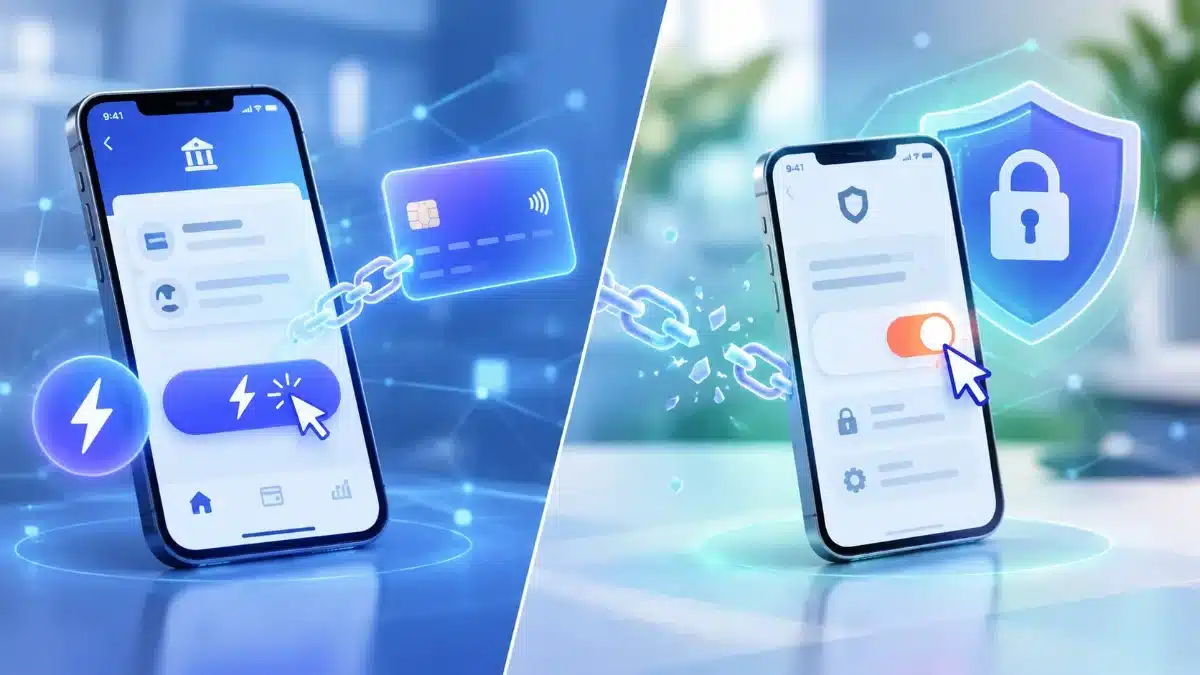
Barclays has started telling customers that their Visa debit cards will be added to Click to Pay, Visa’s one-click online checkout, unless they opt out. Customers began posting about the emails on the MoneySavingExpert forum on 10 October, and the bank’s own page says the service goes live from October 2026.
Barclays isn’t alone. NatWest, Lloyds, Halifax and Revolut all describe automatic enrolment in their own help pages. Here is what actually changes, what the Barclays terms say, and how to switch it off at each bank.
Table of Contents
What Barclays is changing
Click to Pay lets you pay at a participating online shop by entering your email address instead of your card number. Visa stores the card details and, according to Barclays, doesn’t share them with the retailer.
Barclays says the feature “has been added to your account as a new feature under our new terms and conditions”. In practice that means:
- Who: customers aged 18 or over with an eligible Barclays Visa debit card, a valid mobile number and a personal email address that isn’t shared with another Barclays customer.
- Which email: the one already registered with Barclays. Barclays passes your enrolment details to Visa, which keeps your Click to Pay profile.
- Cost: none. Barclays says there’s no charge.
- Existing Visa profiles: if you already set up Click to Pay directly with Visa, the profile moves to Barclays and is managed in the Barclays app.
Is Click to Pay safe?
The basic design is sound. Your card number stays with Visa, and the first time you pay on a new device you have to confirm a one-time passcode.
The weak point is what happens after that. Barclays says that if you “skip verification next time”, Click to Pay will remember your details. Halifax gives the same warning in plainer words: only use the “trust this device” option on devices you control.
So the practical risk isn’t a stranger typing in your email address. It’s a shared laptop, a family tablet or an unlocked phone where you ticked “remember me”. Anyone using that device could check out with just your email.
What the Barclays terms say
We read the three-page Click to Pay terms and conditions. Three clauses stand out:
- You are “responsible for maintaining the confidentiality” of your account information and must tell the bank “immediately” about any unauthorised use.
- Barclays says it is not liable for “any direct, indirect, incidental, or consequential damages” from using the service.
- Where these terms differ from the main Retail Customer Agreement, the Retail Customer Agreement applies.
That last clause matters. Your current account terms, and the Payment Services Regulations 2017 behind them, still govern unauthorised payments.
If a payment goes through that you didn’t make
Under regulation 76 of the Payment Services Regulations, your bank must refund an unauthorised payment no later than the end of the business day after it becomes aware of it. It can delay only if it has reasonable grounds to suspect fraud by you.
Regulation 77 caps your share of losses from a lost or stolen payment instrument at £35. That protection falls away if you acted fraudulently or with “intent or gross negligence”. You aren’t liable for losses after you’ve told the bank, unless you acted fraudulently.
That is why the “trust this device” choice is the one to think about. Leaving a remembered checkout open on a device other people use could be argued as carelessness if something goes wrong.
How to opt out of Click to Pay, bank by bank
Each bank’s own help page gives a different route. This is what they say as of 12 October 2026.
| Bank | Automatic enrolment? | Cards covered | How to opt out or remove a card |
|---|---|---|---|
| Barclays | Yes, from October 2026 | Visa debit | App: card page > Click to Pay > Remove from Click to Pay. Or contact Barclays |
| NatWest | Yes | Visa and Mastercard debit | App or online banking: Manage Click to Pay > opt-out option at the bottom |
| Lloyds | Yes, “over the coming months” | Visa debit (credit cards not added) | App: Cards > Click to Pay under your debit card |
| Halifax | Yes, “over the coming months” | Visa debit (credit cards not added) | App: Cards > Click to Pay under your debit card |
| Nationwide | You “may have already been registered” by Visa | Not specified | Visa’s Click to Pay website, or 0800 011 33 41 |
| Revolut | Cards can be auto-enrolled | Visa | Revolut app, at any time |
Barclays: step by step
Barclays’ Click to Pay page gives these steps to remove a card:
- Open the Barclays app.
- Go to your card page.
- Select “Click to Pay”.
- Choose “Remove from Click to Pay”.
Barclays says it will confirm when the card has been removed. If you don’t use the app, you can ask Barclays to remove it “in your usual way”, such as by phone or in a branch.
Spotting a fake Click to Pay email
Any change that arrives by email is a gift to scammers. A genuine Barclays email about Click to Pay tells you to manage it in the app or by contacting the bank. It has no reason to ask for your card number, PIN or a passcode.
If an email links you to a page asking for card details to “keep” or “cancel” Click to Pay, don’t use it. Open the Barclays app yourself instead. For more on cutting hidden costs and risks on your current account, see our guide to avoiding UK bank fees.
Should you keep it or opt out?
It depends how and where you shop online.
- Keep it if you shop often on your own phone or laptop and want to stop typing your card number into dozens of sites. Fewer shops holding your card details is a real plus.
- Opt out if you rarely shop online, share devices, or already use Apple Pay or Google Pay at checkout. Several posters on the MSE thread said they plan to opt out for exactly this reason.
- Either way, don’t tick “remember me” or “trust this device” on any device someone else can use.
If you pay for unusual things by card, such as rent, it’s also worth knowing how your card protections work first. Our Payr review covers chargebacks in detail, and our stablecoin card guide explains how newer card types differ.
The verdict
Click to Pay isn’t a scam, and the passcode on a new device is a sensible safeguard. The catch is that Barclays and other banks are switching it on for you rather than asking first.
If you won’t use it, removing your card takes four taps in the app. If you keep it, treat “remember me” with care, because that one setting decides how much protection the passcode actually gives you.
FAQ
Why have I been enrolled in Click to Pay?
Barclays says it has added Click to Pay to eligible Visa debit cards as a new feature under its updated terms and conditions. You can remove your card at any time.
Does Click to Pay cost anything?
No. Barclays says there is no charge to use it.
Can someone pay with just my email address?
Not on a new device. A one-time passcode is needed first. The risk is on a device where you chose to skip verification next time.
Is Click to Pay the same as Apple Pay or Google Pay?
No. Barclays says Click to Pay is designed for online checkouts at shops showing the Click to Pay symbol, while digital wallets work on your phone both in shops and online.
What happens when my card expires?
Barclays says it updates the new card details in Click to Pay automatically.
Sources: Barclays: Click to Pay; Barclays Click to Pay terms and conditions; NatWest: Click to Pay; Lloyds Bank: Click to Pay; Halifax: Click to Pay; Nationwide: Visa Click to Pay; Revolut: Click to Pay cardholder notice; Payment Services Regulations 2017; MoneySavingExpert forum, 10 October 2026.


Recent Comments